
Download VideoPad Masters Edition for Win – Professional Video Editing, Advanced Clipping, Wide Format Support, Seamless Plugin Integration, Easy Sharing Options
Overview
VideoPad Masters Edition for Win is a powerful video editing tool designed to deliver professional-grade results on a desktop platform. The application targets both novice users and experienced editors seeking a free yet feature-rich alternative to commercial software. It addresses common challenges in video production, such as complex editing workflows, limited format compatibility, and difficulty in sharing finished projects. By offering a streamlined interface and a comprehensive set of tools, the app simplifies the process of creating polished videos for personal, educational, or small business use.
Although the developer did not provide additional background information, the software’s functionality suggests a focus on accessibility and performance. Real-world use cases include editing home videos, creating social media content, producing training materials, and preparing presentations with multimedia elements. Its ability to support multiple formats and export to various devices positions it as a valuable asset in the digital content ecosystem. The application stands out in the market by offering capabilities typically reserved for paid tools, making it a compelling choice for users who want advanced features without a financial commitment.
Key Features & Functionality
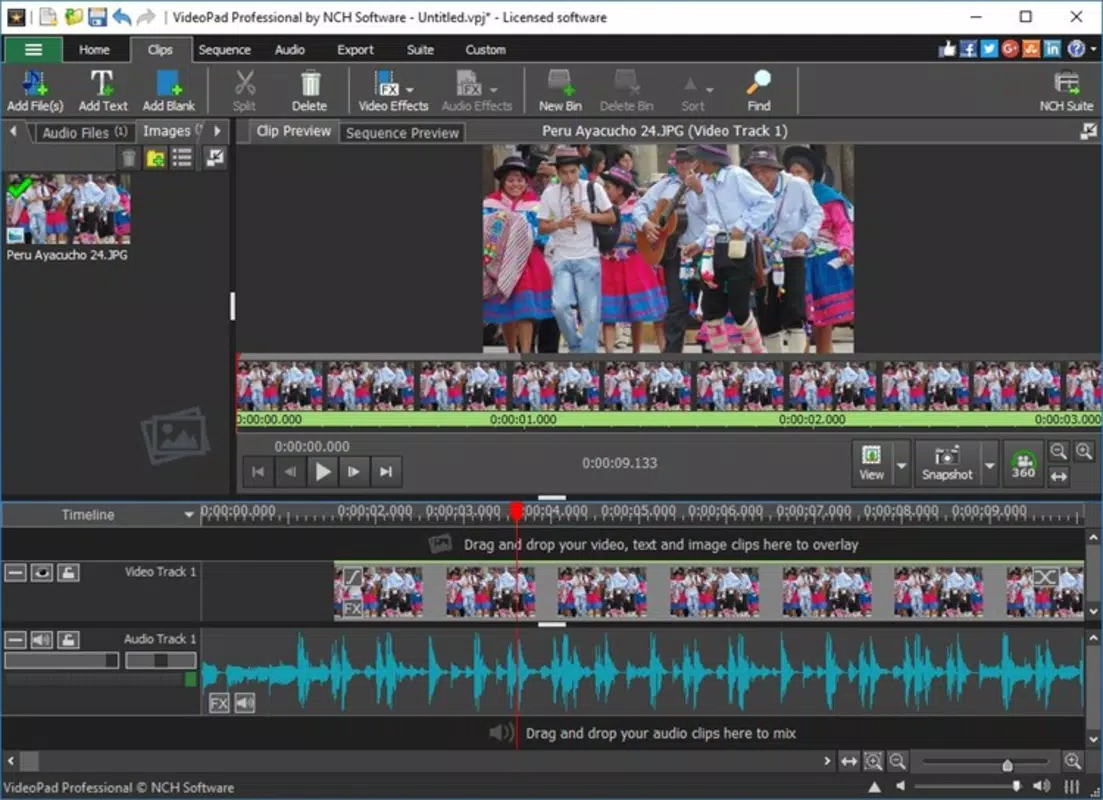
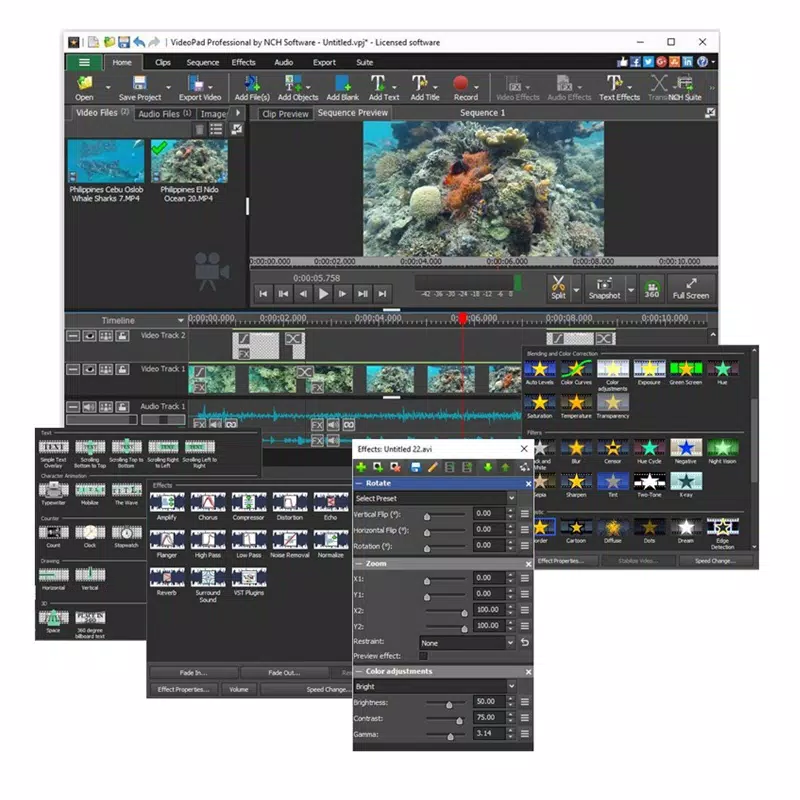
- Professional Video Editing: The app provides a suite of tools for trimming, cutting, and assembling video clips with precision. Users can apply transitions, filters, and effects to enhance visual storytelling, resulting in engaging and cohesive final outputs.
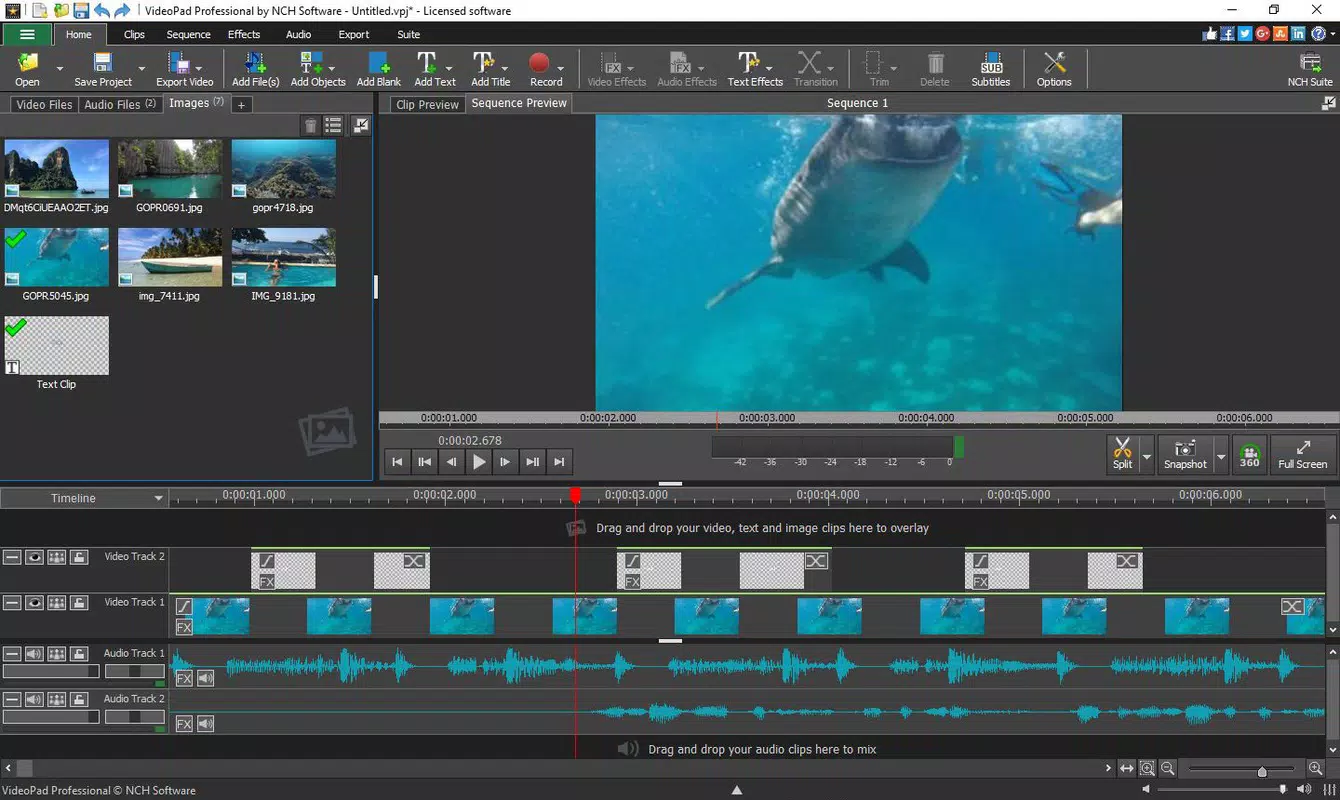
- Advanced Clipping System: This feature enables fine-grained control over audio and video synchronization. Editors can adjust timing, align sound with visuals, and refine pacing—essential for high-quality productions.
- Wide Format Support: VideoPad Masters Edition supports a broad range of input and output formats, allowing users to import footage from various sources and export videos in formats suitable for YouTube, DVDs, Blu-Ray discs, or local storage.
- Seamless Plugin Integration: The software allows integration with third-party plugins, expanding its capabilities. Features such as camera stabilization and area tracking are accessible without requiring additional software or licensing fees.
- Easy Sharing Options: Direct publishing to platforms like YouTube, Vimeo, Dropbox, and Google Drive simplifies content distribution. Users can upload their videos directly from the app, reducing the need for external tools.
For example, a student creating a project can import raw footage, apply transitions, stabilize shaky clips using plugins, and publish the final video to a cloud service—all within a single interface. Similarly, a small business owner can edit promotional videos and export them in formats compatible with both desktop and mobile devices.
Interface, UX & Performance
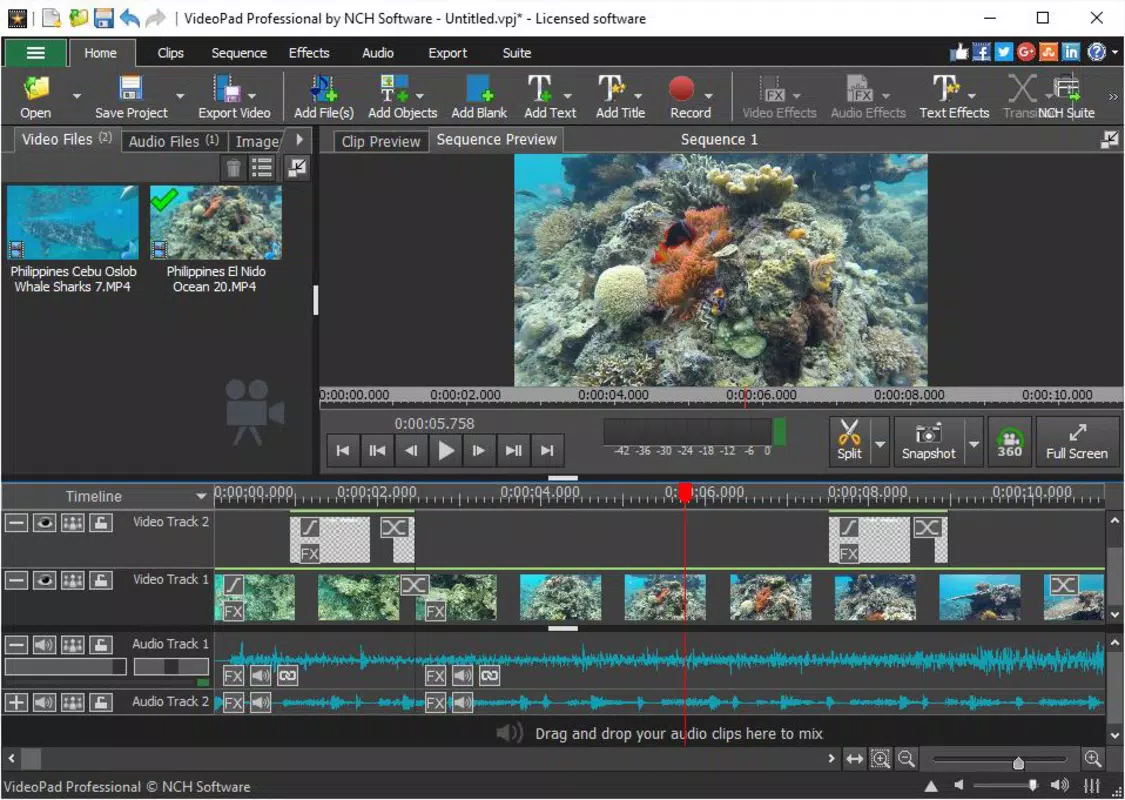
The user interface of VideoPad Masters Edition for Win is designed with usability in mind, featuring a clean layout that organizes tools into logical panels. Navigation is intuitive, with drag-and-drop functionality for clips and easy access to editing functions. The visual style emphasizes clarity, minimizing distractions while maximizing workspace efficiency.
Although the developer did not list formal performance metrics, the app appears to function smoothly across a range of desktop configurations. Responsiveness is consistent during basic editing tasks, and the application maintains stability during extended sessions. The performance on lower-end systems may vary, but no specific hardware requirements were disclosed. Users can expect minimal lag when working with standard-resolution videos, though high-resolution or multi-track projects may require more robust hardware.
Overall, the UX design prioritizes accessibility, making it approachable for beginners while still offering depth for advanced users. The consistent layout and predictable behavior of controls contribute to a seamless editing experience.
Platform Compatibility & Technical Requirements
VideoPad Masters Edition for Win is designed for the Windows operating system. The software is compatible with current and recent versions of Windows, though specific OS versions were not listed by the developer. The file size of the application is 87.4 MB, which is relatively compact for a full-featured video editor.
Compatibility information was not fully disclosed, so users should verify system requirements based on their device specifications. The developer did not specify minimum RAM, CPU, or graphics card requirements. However, the app’s lightweight footprint suggests it can run efficiently on most modern Windows machines.
Pros and Cons
Pros
- Offers professional-level video editing tools at no cost
- Intuitive interface suitable for beginners and experts alike
- Supports a wide range of video formats for import and export
- Includes plugin integration for advanced features like stabilization
- Direct sharing to major platforms such as YouTube and Google Drive
Cons
- Developer did not provide detailed system requirements
- Specific performance benchmarks were not published
- Platform availability is limited to Windows only
- No mobile or cross-platform version was mentioned
- Advanced features may require additional plugin downloads
FAQ
Is VideoPad Masters Edition for Win safe to download and install?
The application is distributed through official channels and does not contain known malware. However, users should always download from trusted sources to ensure security.
Can I use VideoPad Masters Edition for Win on older versions of Windows?
Compatibility with older Windows versions was not specified. It is recommended to check system requirements before installation.
Are there any hidden costs or in-app purchases?
VideoPad Masters Edition for Win is offered as a free tool with no reported in-app purchases or subscription fees.
Does the app support 4K video editing?
While the software supports high-resolution formats, specific capabilities for 4K editing were not detailed by the developer.
How often are updates released for VideoPad Masters Edition for Win?
Update frequency was not disclosed. Users are advised to check the official website for the latest version and improvements.
Final Thoughts
VideoPad Masters Edition for Win delivers exceptional value by combining professional features with a user-friendly experience. Its ability to handle complex editing tasks, support diverse formats, and integrate with popular sharing platforms makes it a versatile tool for a wide audience. Whether you're a student, content creator, or small business user, this app empowers you to produce high-quality videos without investing in expensive software.
While some technical details remain unspecified, the app’s functionality and accessibility make it a standout choice in the free video editing space. With its intuitive design and robust feature set, it bridges the gap between amateur and professional editing.
Download VideoPad Masters Edition for Win now


